 Your Name Inbox
Mailboxes, aliases, forwarders and shared inboxes
Last reviewed
The quick version
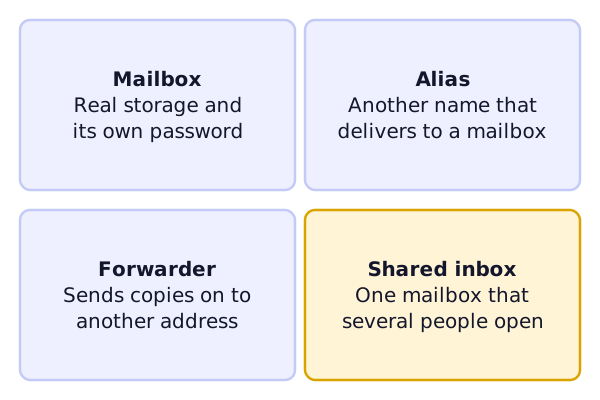
- A mailbox holds mail. It has a login.
- An alias is another name that delivers to a mailbox.
- A forwarder sends copies to a different address.
- A shared inbox is one mailbox that a team opens.
Mailbox
A mailbox is where messages are delivered and kept.[1] It has its own password. You can sign in to it from a phone or a laptop.
Alias
An alias is an address that forwards to another one.[2] It has no inbox of its own. Nobody signs in to it.
Aliases are handy for two jobs. They can replace a long address that's hard to remember.[2] And they can make a general address like [email protected].[2]
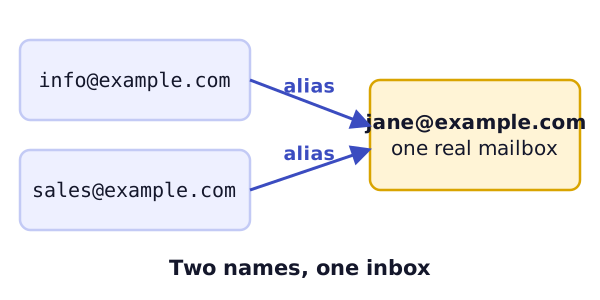
In the picture, both info@ and sales@ are aliases. Jane reads both in one place.
Forwarder
Forwarding means re-sending a message that has already arrived to one or more other addresses.[3] An alias works by forwarding, so the two ideas overlap. A "forwarder" is the same idea: mail is sent on to another address.
Cloudflare's email routing is one example of a forwarder. It sends mail to a verified destination address, and you can set different rules for different addresses.[4]
Shared inbox
A shared inbox lets a group read and answer the same mail. In Microsoft 365, a shared mailbox lets a group monitor and send email from a common address, like [email protected].[5]
When someone replies, the message appears to come from the shared address, not from the person.[5] A shared mailbox also includes a shared calendar.[5]
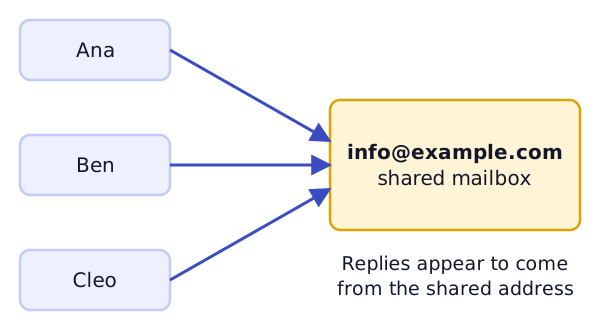
One detail catches people out. By default, a new shared mailbox has sign-in blocked.[5] People open it from their own accounts instead.
Which should you pick?
- Just you: one mailbox, plus aliases for the extra names.
- A small team on one address: a shared inbox.
- Mail from an old address: a forwarder, until the old address can go.
You can mix them. Providers differ in what they call each one, so check the words in your own control panel.
What's next
Next: how the mail travels between a server and your app. See IMAP, POP3 and SMTP.
Sources
- Email address, Wikipedia (accessed 2026-11-03)
- Email alias, Wikipedia (accessed 2026-11-03)
- Email forwarding, Wikipedia (accessed 2026-11-03)
- Email routing rules and addresses, Cloudflare Docs (accessed 2026-11-03)