 Your Name Inbox
Catch-all addresses, auto-replies and signatures
Last reviewed
The quick version
- A catch-all takes mail sent to any address on your domain.
- An auto-reply answers for you while you're away.
- A signature is text added to the end of your messages.
Catch-all addresses
A catch-all is a rule for mail that matches nothing else. Cloudflare's version forwards every email sent to your domain, including misspelled local parts, to a single destination.[1]
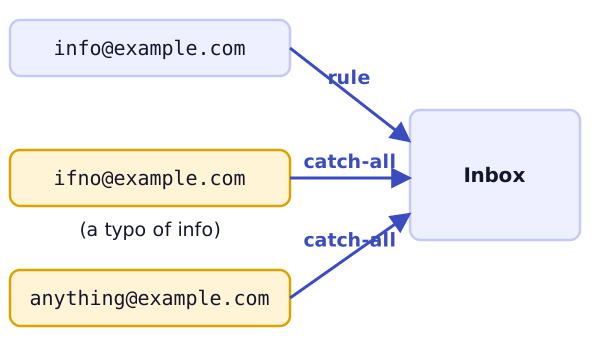
Cloudflare gives an example. You make a rule for [email protected]. A sender mistypes it as [email protected]. With the catch-all on, the message is still handled.[1]
That is the good side. The other side is that a catch-all takes in mail for every address, including ones nobody meant to use. Decide who will read it, and look at it now and then.
Not every provider offers a catch-all. Some call it by another name, so look in your control panel.
Auto-replies
An auto-reply (some call it an "out of office" message) sends a set answer when mail arrives. It's good for holidays and sick days.
Three tips from Microsoft's Outlook help:
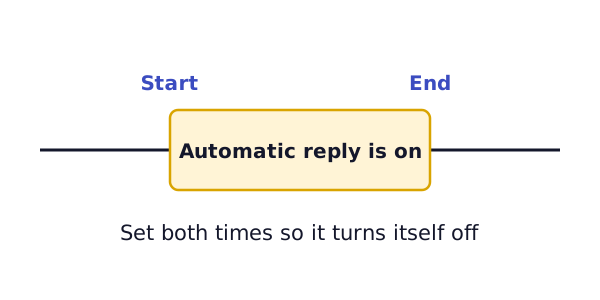
- Set a start and an end time. With no time period, the reply stays on until you turn it off.[2]
- Think about who gets it. If you turn on replies outside your organization, Outlook sends them to every email you receive, including newsletters, advertisements and possibly junk.[2] Microsoft suggests sending outside replies only to your contacts.
- Check your account type. In Outlook, automatic replies aren't supported for Gmail, Yahoo or other POP or IMAP accounts.[2] If yours is one of those, check your provider's own help pages for how to set a reply.
Keep the message short. Say you're away, until when, and who to contact instead.
Signatures
A signature sits at the bottom of every message. It usually holds your name, role and a way to reach you.
Outlook lets you keep several signatures for different purposes.[3] A signature can hold text, links, pictures and images.[3] A plain one is easiest to read on a phone. Use example.com style details only while you practice, and your real ones in your own account.
Set the signature in each mail app you use. A phone app often has its own setting.
What's next
People change jobs. See what to do with their mailboxes in when staff leave or roles change.
Sources
- Email routing rules and addresses, Cloudflare Docs (accessed 2026-11-03)
- How to set up out of office automatic replies in Outlook, Microsoft Support (accessed 2026-11-03)
- How to add and change an email signature in Outlook, Microsoft Support (accessed 2026-11-03)