 Your Name Inbox
Why use email at your own domain
Last reviewed
The quick version
- An email address has a name part and a domain part.
- At your own domain, the domain part is yours:
[email protected]. - You can add more addresses to it, like
[email protected].
What an address is made of
Take [email protected]. The part before the @ sign is the local part. It names the mailbox. The part after it is the domain, your web address.[1]
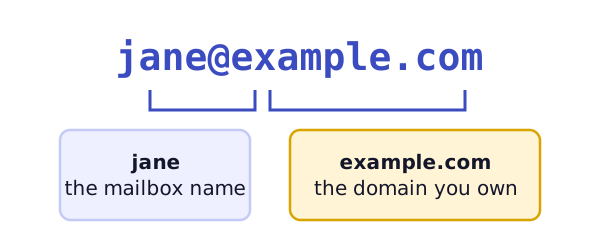
A mailbox is the place where your messages are delivered and kept.[1] Think of it as a letterbox with your name on it.
Free address or your own?
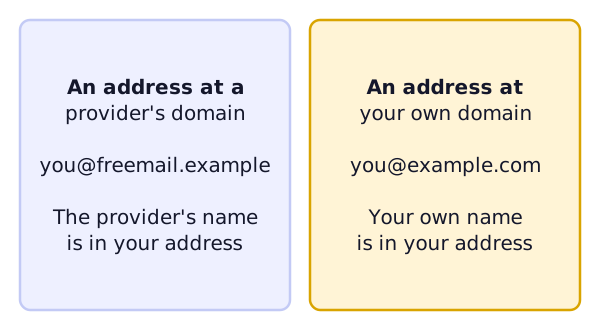
Many people start with a free webmail address. Webmail is email you read in a web browser.[2] It's quick to get and costs nothing. But the provider's name sits in your address.
An address at your own domain puts your name there instead. A customer sees [email protected] and knows where it came from.
You need a domain first. This site doesn't cover buying one. It starts after you own one.
What you gain
It looks like you. The address matches your website. That makes a message easy to recognize.
You can make more addresses. One domain can have many. People often add a general one such as [email protected].[3] Each can lead to a different person, or to the same person.
You can move. Your address belongs to your domain, not to one email company. Mail can be moved between systems. Microsoft, for example, describes moving email in from another IMAP-enabled system.[4] We explain switching providers in its own page.
Where the mailbox lives
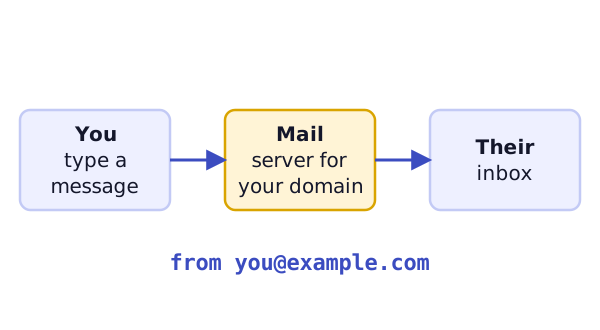
Your domain doesn't hold the mail by itself. A mail service does. Some web hosting providers include webmail in their hosting package.[2] Others sell email as a separate service. Either way, you pick who runs the mailboxes.
Questions to ask before you start
- Who needs an address? Count real people first. Then count roles, like orders or help.
- Who will look after it? Someone should know where the settings live and how to add or remove a person.
- Do you already have mail at the domain? If so, read switching providers before you change anything.
Your answers decide which of the kinds of address you'll need.
What's next
Next you need to know the difference between a mailbox, an alias and a forwarder. Read mailboxes, aliases, forwarders and shared inboxes.
Sources
- Email address, Wikipedia (accessed 2026-11-03)
- Webmail, Wikipedia (accessed 2026-11-03)
- Email alias, Wikipedia (accessed 2026-11-03)
- Ways to migrate multiple email accounts to Microsoft 365 or Office 365, Microsoft Learn (accessed 2026-11-03)